A transit app that answers before you ask: what is leaving near you, how to get there, and when to go. Some live features depend on what each city publishes; the Cities page has the details.
Live departures near you
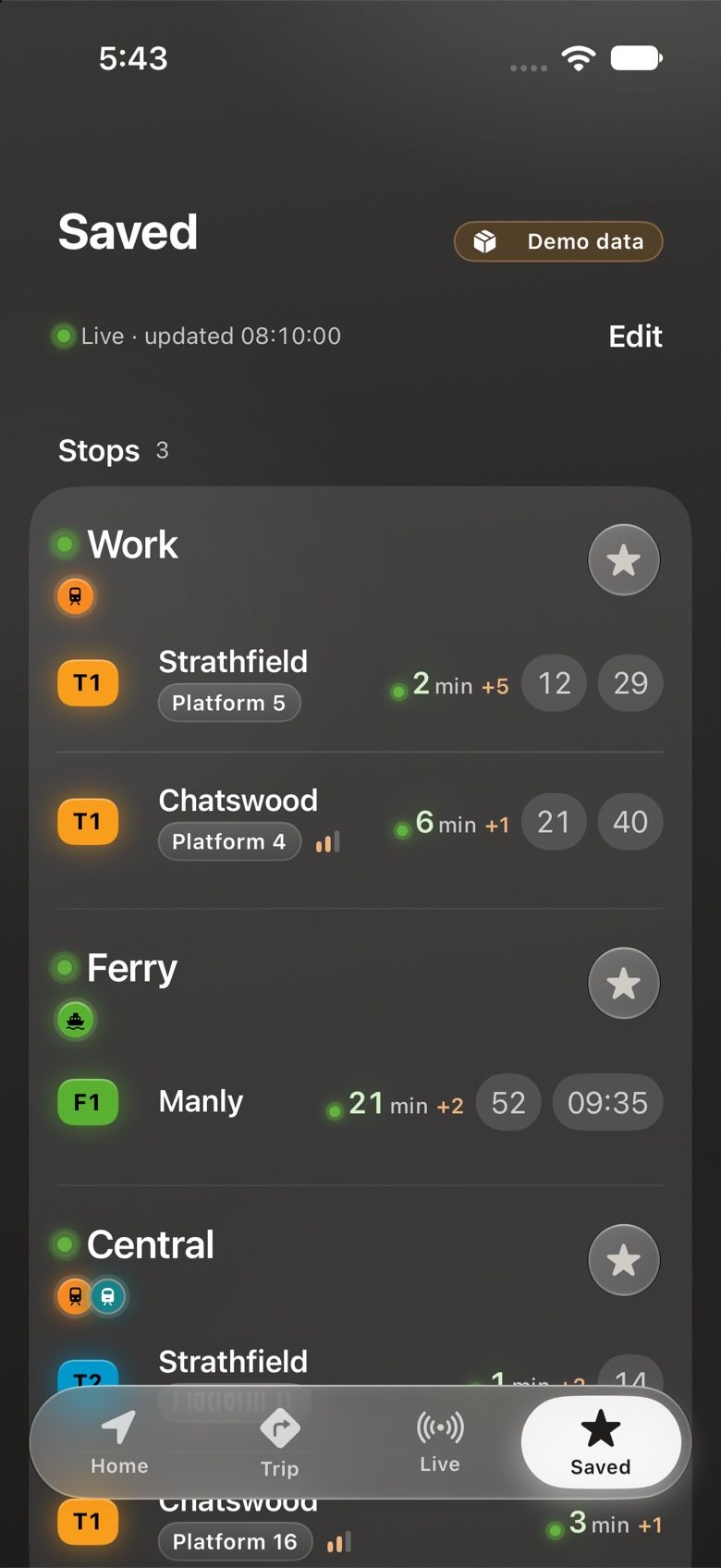
Open the app and the stops around you are already there, each with its next departures counting down in real time.
Live times with delays, cancellations and platforms or stands, where the city publishes them
How full the service is, when the operator shares occupancy
Favourites pinned on top: your stops and lines, one tap away
Falls back to the timetable, clearly marked, whenever live data is not available
Trip planning, even offline
Leave now, depart at or arrive by. Shoal uses the city’s own journey planner where there is one and plans on your iPhone everywhere else.
On-device planning from the downloaded timetable: works with no signal and keeps your trip private
Online planners where the city offers one (Sydney, London, and Barcelona with your own TMB key)
Choose modes, ask for wheelchair-accessible trips and see fare estimates
Save a trip to plan it again in one tap
Line screens with full timetables
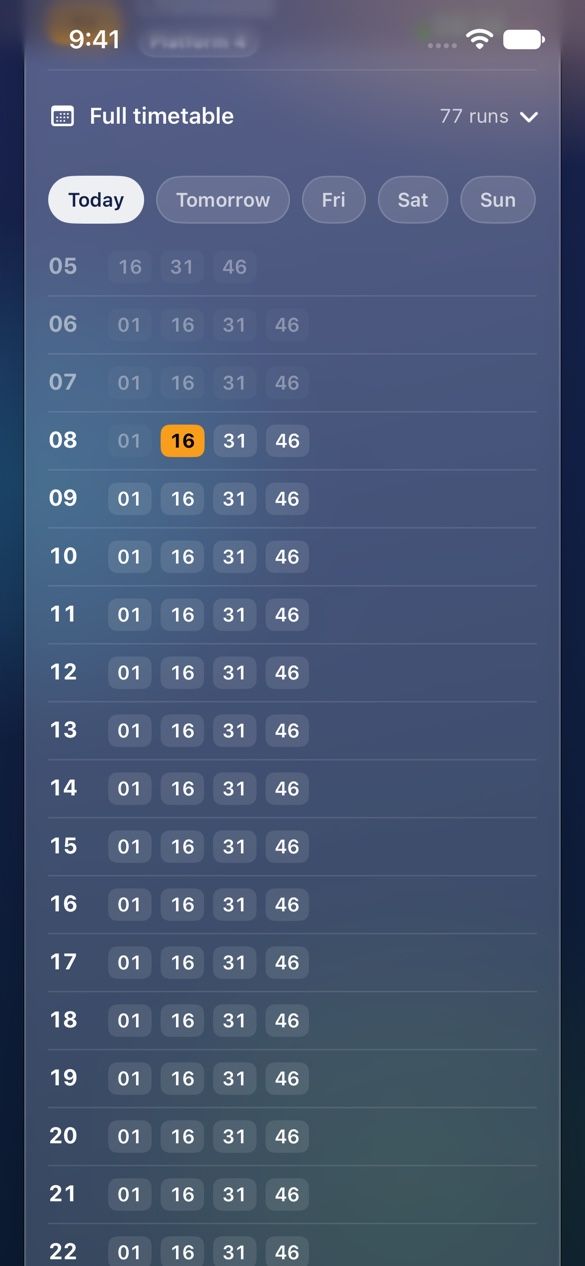
Every line has its own screen: the stops along it, what is running on it now and its full timetable for any day.
A stop strip that shows where you are on the line
Departures from your stop in both directions
The full timetable by hour, for today, tomorrow and the days after
Service alerts for the line, right where you need them
Line screens and sets
The whole timetable, and the part you care about.
Open any line for its full timetable by hour and day. Then save the services you take into a set and ask it one question: what runs now, departing at 8:30, or arriving by 9:00?
Saved stops, lines and sets
Save the stops, lines and services you use, and group them into sets: “my commute”, “the school run”.
Ask a set what runs now, departing at a time or arriving by a time
Saved services remember the exact trip you take each day
Kept on your iPhone and in your own private iCloud, never in an account of ours
Departure reminders
Long-press a departure and choose Remind me. Shoal tells you when it is time to leave.
Reminders are local notifications scheduled on your iPhone
Pick how many minutes before departure you want the nudge
Repeat it on the days you travel, and let it follow live delays
Manage them all from the Saved tab
Stop codes and QR scan
Standing at a stop? Scan the QR code on the sign or type the stop number printed on it.
QR codes on Sydney and Perth stop signs open that stop’s departures
Typed stop numbers and stop links work in most cities
The camera is used only while you scan; nothing is recorded
Live map and alerts
Follow your bus, train or ferry on the map and see disruptions before they find you.
Vehicle positions where the city publishes them, or an estimate from the timetable, clearly labelled
Service alerts grouped by mode and line
Widgets
Your next departures on the Home Screen and Lock Screen, without opening the app.
Your saved stops, lines and sets at a glance, on the Home Screen and Lock Screen
Refreshed within the limits iOS sets for widgets
Works offline
Each city’s timetable lives on your iPhone, so stops, departures, lines and trip plans work underground and in flight mode.
Timetables are downloaded once per city and kept up to date
Live data tops them up whenever you have a connection
Fast: nothing waits on the network to show you a board
Fair, private ads, or none
Shoal is free with a few non-personalised ads. A one-time purchase removes them for good.
Ads are never personalised and Shoal never asks to track you
Ads never see your location, stops, lines or trips
Remove ads once, on every device with your Apple Account, and restore it any time
More live data with your own key
Some cities only offer certain live feeds to registered developers. Paste your own free key and Shoal uses it.
Melbourne, Barcelona, Madrid, Boston and New York buses
Keys are stored in your iPhone’s Keychain and used only for that city’s data
Calm by design
Frosted glass over a quiet graphite harbour, white ink and the city’s own line colours on the badges, so the colour on screen always means something.